Free AI Fishbone Diagram Maker
Describe the problem in one sentence. The AI proposes the cause categories, fills in the likely root causes, and draws a clean Ishikawa diagram — no dragging lines off a spine until they finally line up. Cause-and-effect analysis without the busywork.
Start from the right category framework
A fishbone is only as useful as its "bones" — the cause categories branching off the spine. Pick the wrong ones and you get a blank diagram nobody fills in. Tell the agent which framework you want, or describe your problem and let it choose. Here are the three it handles by default. (For mapping how ideas connect rather than what causes an effect, a concept map at /concept-map fits better.)
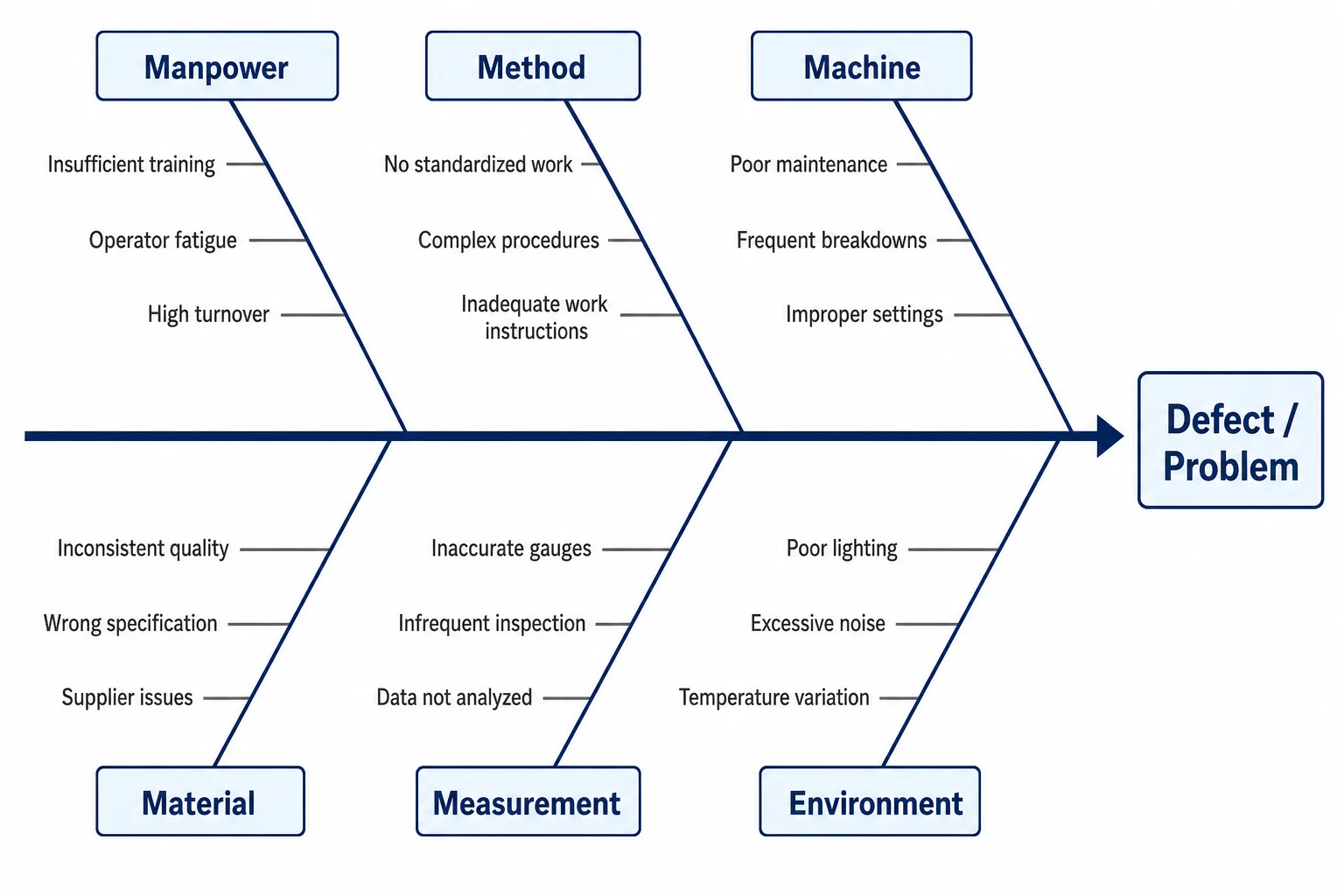
Manpower, Method, Machine, Material, Measurement, Environment. The manufacturing/quality default and the most-searched layout.
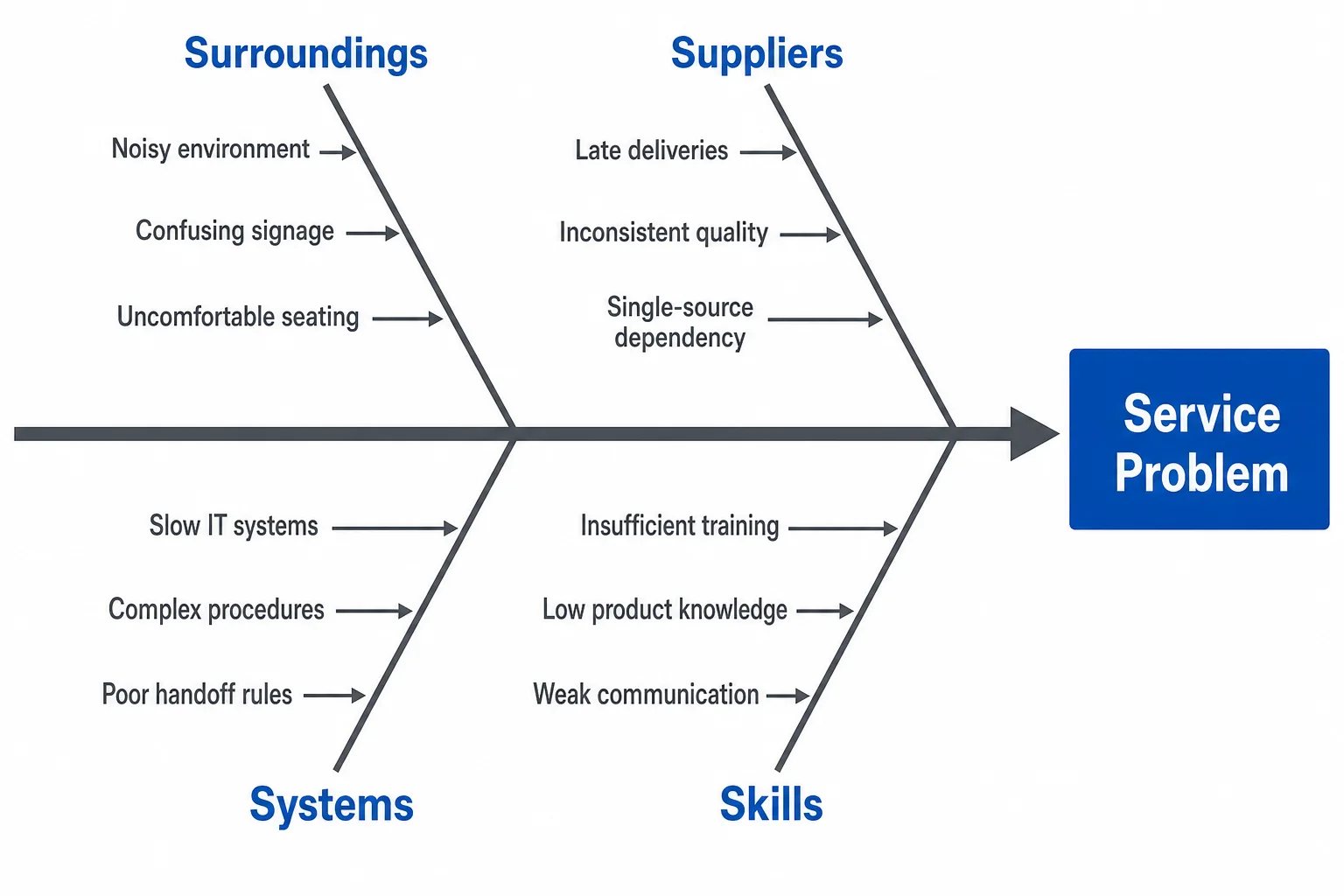
Surroundings, Suppliers, Systems, Skills (service) or Product, Price, Place, Promotion (marketing). For non-factory problems.
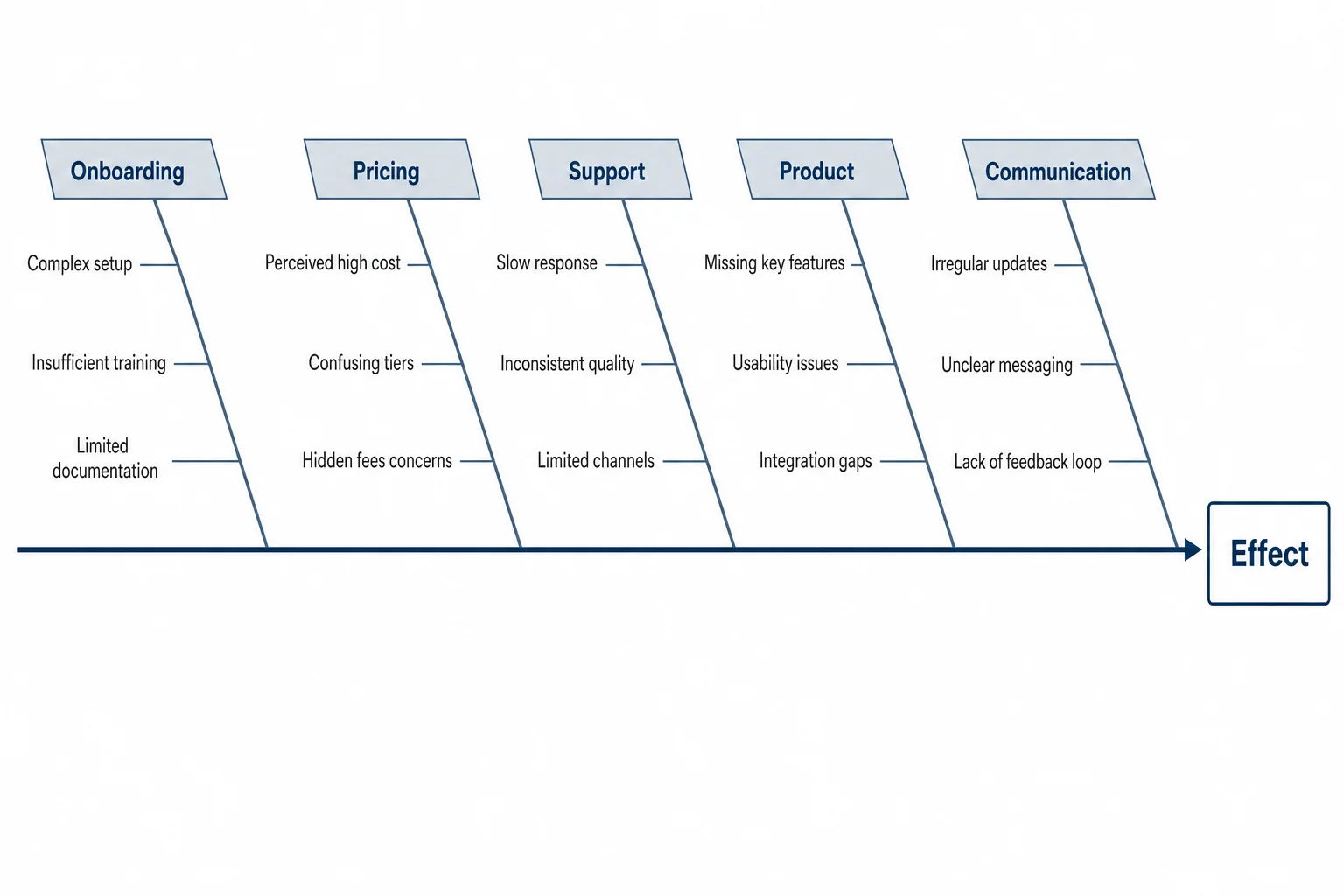
No fixed template — name your own branches, or let the AI infer them from the problem.
An honest one: most free fishbone tools hand you a 6M skeleton and stop there, which is useless for a marketing or service problem where "Machine" and "Material" don't apply. The whole reason to describe your problem in words is that the AI picks branches that actually fit it — "Onboarding," "Pricing," "Support" for a churn analysis, not factory categories you'll delete anyway.
Fishbone diagram examples, by the kind of problem
Each of these came from a single problem statement — the AI proposed the categories and the candidate causes, then rendered it. The thing to notice: the cause text reads cleanly inside every branch, which is exactly where AI image tools usually produce garbled labels. Click any to see it full size.
Free fishbone diagram templates — download blank, fill in your causes
Want to start from an empty skeleton? Grab one of these — free to download and print. Or skip the blank stare: type your problem at the top of the page and the AI fills the branches for you in about fifteen seconds.
Type the problem. The AI finds the causes.
Here's the part SmartArt in Word and a blank Excel grid can't do: the thinking. You don't just want the fishbone drawn — you want help figuring out what goes on it. So describe the effect you're investigating, and the agent proposes the cause categories, suggests candidate root causes under each branch (packaging, QC tolerance, courier handling, a recent supplier change), and renders it cleanly. You edit from a populated starting point instead of a blank spine.
Refine in plain English: "add 'seasonal demand' under Environment," "move 'training gaps' from Method to Manpower," or "expand the supplier branch." It revises in place — no re-drawing, no re-typing the labels you already have.
Describe my problem →"Returns spiked 30% this quarter on our flagship product."
Meet the Diagram Agent
Describe a problem in plain English and the agent structures the cause analysis — choosing a category framework, proposing root causes, and rendering the Ishikawa diagram. It's built for root cause analysis (RCA) and Six Sigma work: ask it to run a 5 Whys on any single branch, and it drills the cause chain deeper without you rebuilding the chart. It's a brainstorming tool at heart — for freeform idea branching instead of cause analysis, try a mind map at /mindmap. When the analysis changes, you tell it what changed.
Open the Diagram Agent →A featured prompt
Create a fishbone (Ishikawa) diagram for the problem: "On-time delivery dropped to 82% last quarter." Use the 6M categories. Under each branch, suggest 2-3 likely root causes — for example, staffing gaps under Manpower, outdated routing under Method. Use a clean corporate style.
Copy it, swap in your problem, watch it build. This exact prompt produced the late-delivery example above.
Fishbone diagram questions, answered straight
It suggests them. Describe the problem and the agent proposes the cause categories and candidate root causes under each branch — so you start from a populated diagram and edit, instead of staring at an empty spine. That's the difference between this and a drag-and-drop template.
Ready to find the root cause?
Free tier: 5 generations per day, no signup required. No credit card. Full ownership and commercial rights on all paid plans.
Build a fishbone diagram ↑