Free AI Org Chart Generator
Describe your team in plain English — or paste your employee list — and the AI draws the reporting lines for you. No SmartArt. No dragging boxes around a canvas until the connectors finally behave.
Three structures the AI handles out of the box
Most org-chart tools give you one default — a top-down tree — and leave you to fight the layout when reality doesn't fit. Real teams aren't always trees. Here are the three structures we built the agent to lay out cleanly, and what each one is actually for. (For a single idea with branches rather than a reporting structure, a mind map at /mindmap fits better.)
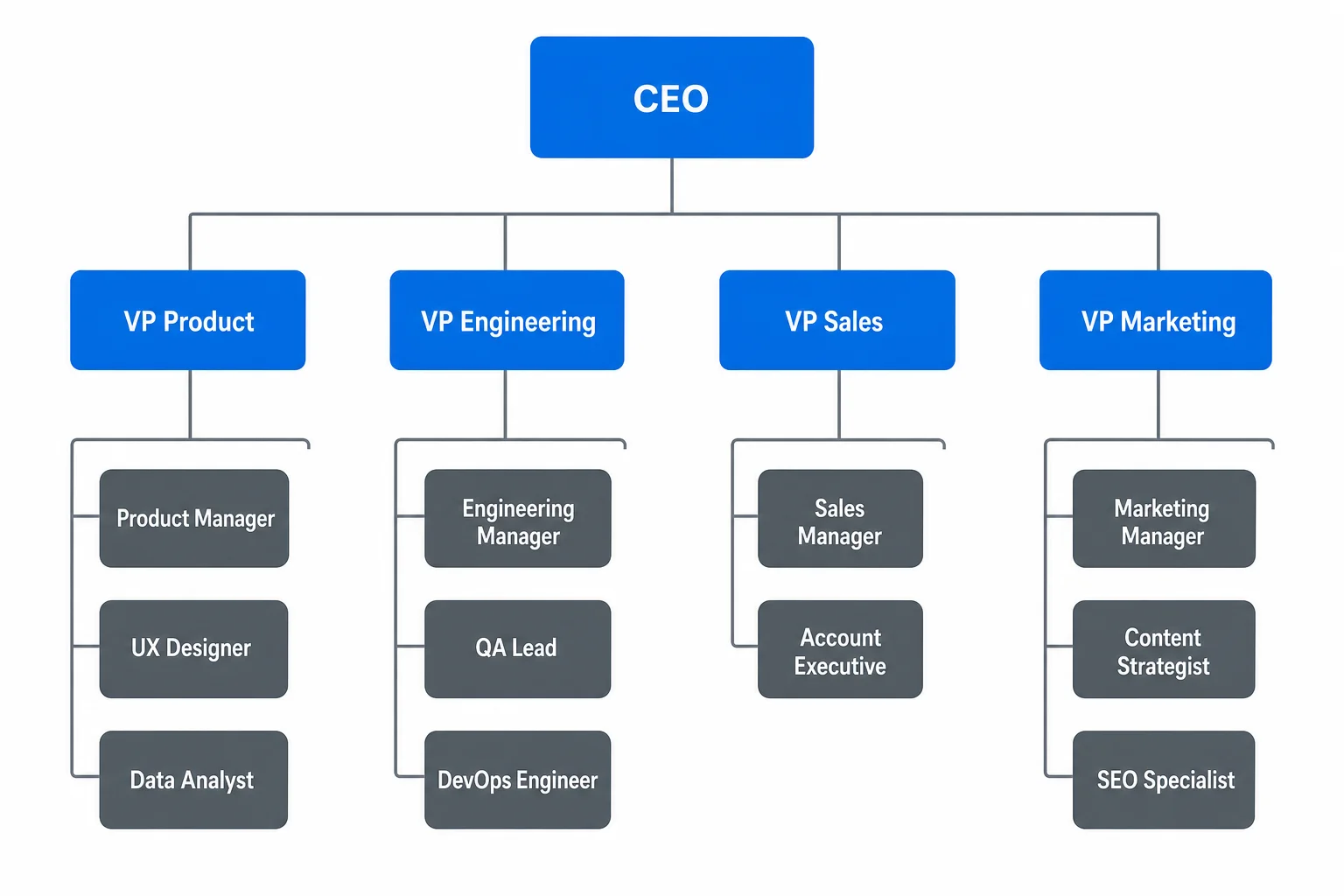
The classic top-down tree: one leader, clear layers of reports. Best for traditional companies and any chart where the question is "who reports to whom."
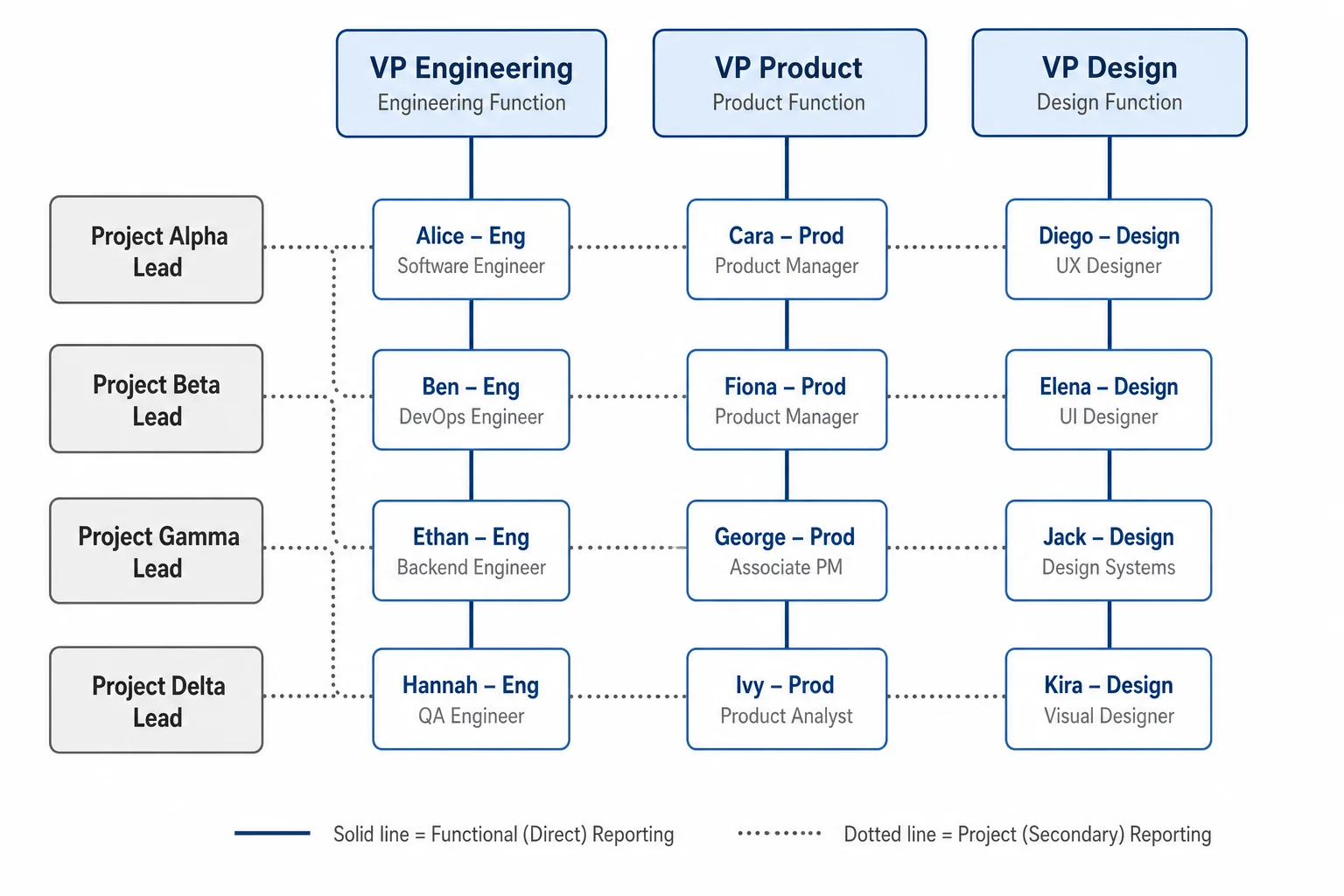
Dual reporting lines — solid line to a functional manager, dotted line to a project lead. The structure SmartArt simply can't draw.
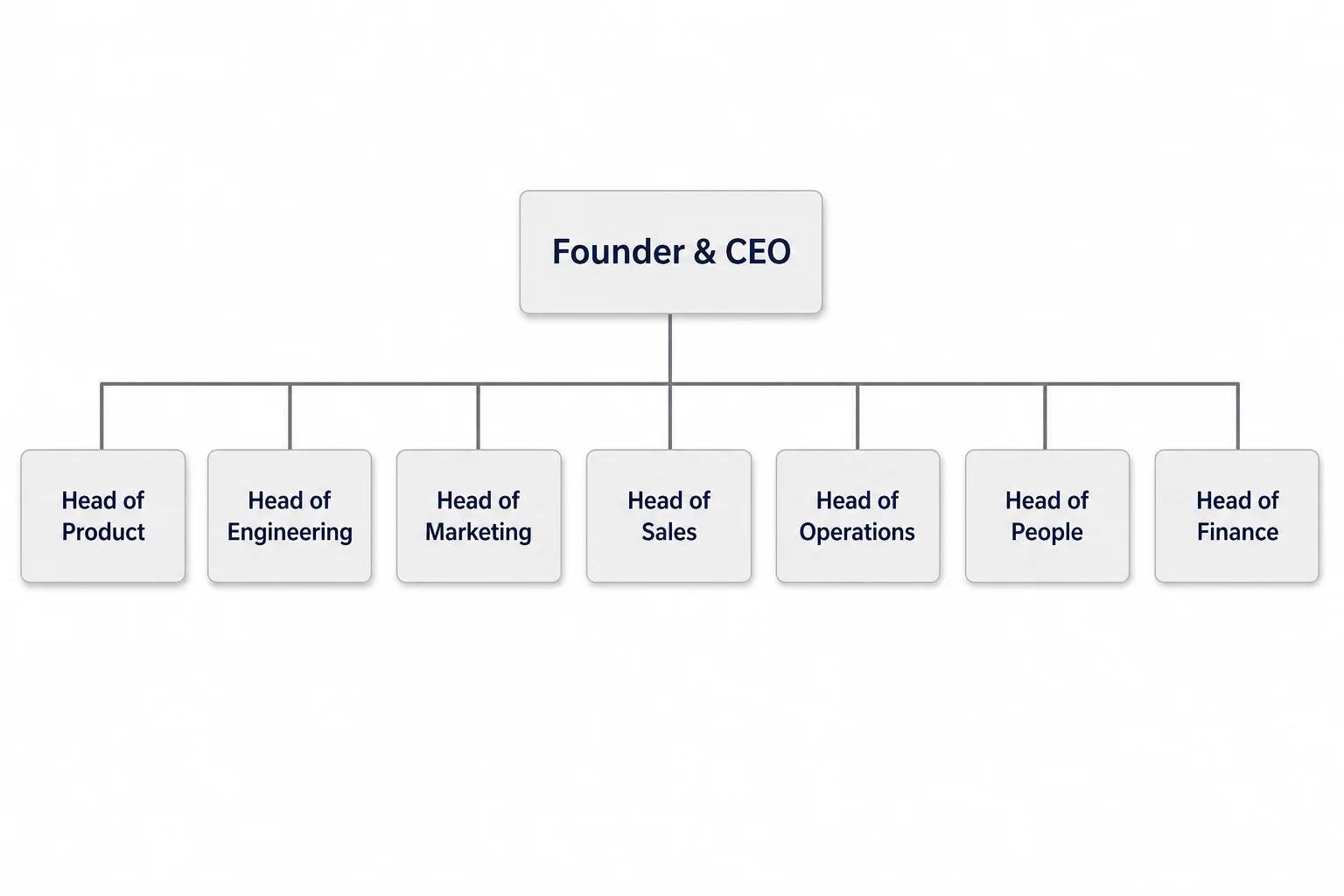
Few layers, wide teams. For startups and pods where titles matter less than who's on what.
A quick honest one: the matrix is where every free tool falls apart. Dotted-line reporting needs the connectors to cross without turning into spaghetti, and most drag-and-drop editors route them straight through a name box. Tell the agent "dotted line from the data team to the VP of Product" and it keeps the lines readable — that's the whole reason this structure has its own card.
Org chart examples, by the kind of team
These were each generated from a single sentence — no templates touched, no boxes dragged. The point isn't that they're pretty; it's that the names and titles render correctly inside the boxes, which is the one thing AI image tools usually get wrong. Click any to see it full size.
Free org chart templates — download blank, fill in your names
If you'd rather start from a blank layout, grab one of these. They're free to download and print. Or skip the typing entirely: generate a filled-in version from the box at the top of the page in about fifteen seconds.
Paste your employee list. Get the chart.
The reason people end up wrestling with SmartArt in Word or nudging boxes in PowerPoint is that they already have the data — a list of names and who reports to whom, usually sitting in a spreadsheet — and no fast way to turn it into a picture. So do the obvious thing: paste the list.
The agent reads the reporting relationships, lays out the hierarchy, and renders every name and title cleanly inside its box — no SmartArt menu, no manual connectors, no re-typing the names you already had. It handles the messy parts too: a dotted-line report to a second manager, a contractor sitting outside the main tree, an open "TBD — hiring" role. Things that take ten minutes of fiddling in Office take one sentence here.
Paste my list →Sarah Chen — CEO Marcus Reyes — VP Engineering (reports to Sarah) Priya Patel — VP Sales (reports to Sarah) Devon Liu — Backend Lead (reports to Marcus) …
Meet the Diagram Agent
Describe a team in plain English — or paste a roster — and the agent structures the reporting lines and renders the chart. Refine without starting over: say "add a CTO reporting to the CEO," "move the design team under Product," or "collapse the three regional sales pods into one box," and it revises in place. When you restructure for real, you don't rebuild the chart — you tell it what changed.
Open the Diagram Agent →A featured prompt
Create an org chart for a 50-person product company. Sarah Chen is CEO. Under her: VP Engineering, VP Product, VP Sales, and Head of People. Engineering has a Backend team, a Frontend team, and a Platform team, each with a lead. Add a dotted line from the Design team (under Product) to the VP Engineering. Use a clean corporate style.
Copy it, change the names, watch it draw. This exact prompt produced the project-team example above.
Org chart questions, answered straight
Yes — and it's the fastest way to do it. Paste your list of names and reporting relationships straight into the prompt box. The agent reads who reports to whom and builds the hierarchy for you, so you're not re-typing names you already have in a spreadsheet.
Ready to chart your team?
Free tier: 5 generations per day, no signup required. No credit card. Full ownership and commercial rights on all paid plans.
Create an org chart ↑